
How to prospect on LinkedIn without getting banned: a safety guide
Guide to prospecting on LinkedIn without getting your account restricted: real invitation limits, mistakes that trigger bans and how to automate safely with Waalaxy.
Updated: 2026-08-15
 Pablo Giménez·Lead analyst · LinkedIn prospecting

Featured tool
Waalaxy
Prospecting on LinkedIn without bans, in a nutshell
To prospect on LinkedIn without getting banned you need to respect invitation limits, avoid tools that behave like robots and keep a healthy acceptance rate. LinkedIn caps invitations at around 100 per week on free accounts, and it penalizes non-human activity patterns.
The good news is you can automate your prospecting safely if you choose the tool well and follow a few basic rules. Let me tell you which ones.
How LinkedIn detects suspicious activity
If you want to try it yourself, create a free Waalaxy account and follow along as you read.
LinkedIn doesn't publish its anti-spam algorithm, but the prospecting community has spent years figuring out what bothers it. It's not an exact secret, it's a pattern.
The first thing it looks at is pace. A human doesn't send fifty invitations in one minute. If your account does that, the alarm goes off. That's why bursts of activity are the fastest way to get noticed.
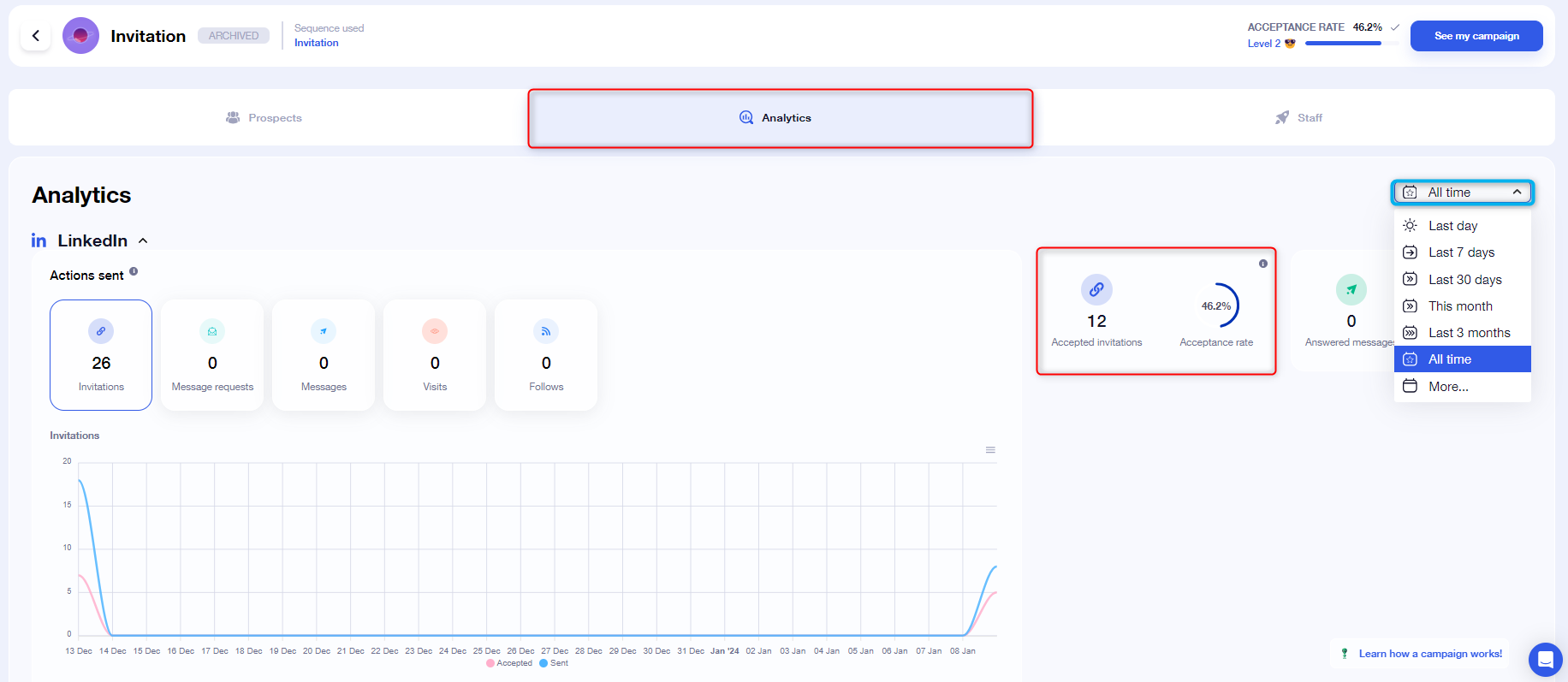
The second is acceptance rate. If you send a hundred invitations and only five people accept, LinkedIn figures people aren't interested in what you offer and flags you as a spammer. The opposite is also bad: a suspiciously high one hundred percent acceptance rate isn't normal either.
The third is the type of activity. Visiting hundreds of profiles in a row, sending identical messages to strangers or using extensions that scrape aggressively are clear robot signals.
The limits you need to respect
LinkedIn limits pending invitations and how many you can send. On a free account, the figure floating around is about 100 invitations a week, although LinkedIn can lower it depending on how old your account is and how you use it.
The exact number isn't what matters most, the principle is. Send fewer invitations than you could and focus on getting accepted. An account that sends 50 well-targeted invitations a month is worth more than one that sends 300 at random and ends up restricted.
If your account is new, be even more conservative. Young accounts have less leeway because LinkedIn distrusts what it doesn't know.
The mistakes that trigger a ban
The first mistake is using cheap tools that connect aggressively. Many free extensions send requests in bursts and LinkedIn detects them within days. Cheap ends up expensive when your account gets blocked.
The second mistake is the generic message. Sending the same invitation text to everyone with zero personalization is the signature of a spammer. LinkedIn won't ban you for that alone, but people report you, and reports do weigh.
The third mistake is ignoring the warnings. LinkedIn usually warns you before restricting. If you see your invitations suddenly drop or you're asked to verify, slow down and reduce the pace. Ignoring the signal is the surest way to end up in LinkedIn jail.
Why Waalaxy is safe
Waalaxy works from your browser, sending the same network requests you would send by clicking. To LinkedIn's servers, your activity with Waalaxy is indistinguishable from a real user's.
No bursts. Waalaxy executes actions gradually, with pauses between steps, respecting safety limits. It's the exact opposite of the aggressive extensions that put you at risk.
I've run campaigns for months without a single warning from LinkedIn. The difference between a tool that takes care of your account and one that burns it is obvious right away.
How to configure Waalaxy to stay on the safe side
First, adjust your campaign limits. Waalaxy lets you set a daily cap on invitations. Start with twenty or thirty a day and only go up if your acceptance rate keeps up.
Second, personalize your messages. Use variables like the person's name or role so every invitation is different. A template with filled-in blanks performs better than identical text for everyone.
Third, watch your ratio. If you see your acceptance rate drop, reduce the volume or improve your targeting. The quality of your leads is your best insurance against a ban.
What to do if your account gets restricted
First, don't panic and don't keep automating. Pause all your campaigns and let the account breathe for a few days.
Second, clean up your pending invitations. Withdraw the ones that have been unanswered for weeks, because they count against your limit and drag down your ratio.
Third, resume at a very conservative pace with highly personalized messages. Most temporary restrictions lift on their own if you show good behavior for a couple of weeks.
Myths and truths about getting banned
There are several myths floating around the prospecting forums, and it's worth separating what's true from what isn't.
The first myth is that any automation gets you banned. False. What gets you banned is aggressive automation, the kind that sends in bursts and skips the limits. A well-configured tool can run for years without a single warning.
The second myth is that LinkedIn's premium plan protects you. It doesn't either. Having Sales Navigator gives you more search visibility, but it doesn't exempt you from the activity rules. You can burn a premium account just like a free one.
The third myth is that once you're banned, you're dead forever. Most restrictions are temporary and lift with good behavior. Only very serious or repeat cases end in permanent suspension.
The underlying truth is simple. LinkedIn wants its network to stay useful and not turn into a spam dump. If your prospecting adds value and respects the pace, the network lets you work in peace.
Final verdict
Prospecting on LinkedIn without getting banned is a matter of discipline, not luck. Respect the limits, personalize your messages and use a tool that works from your browser and doesn't behave like a robot.
Waalaxy is, in my experience, the safest option for automating. Its free plan of 50 invitations a month lets you test the method without risking your account or your money.
My advice. Start slow, measure your acceptance rate and scale only when you see LinkedIn letting you. An account that lasts years is worth far more than a week of aggressive prospecting.
Written by
Pablo Giménez
Lead analyst · LinkedIn prospecting
6+ years prospecting on LinkedIn for agencies and SaaS. He tests every tool with real accounts before sharing his opinion, and writes so you do not repeat his mistakes.
Specialty: LinkedIn automation, Waalaxy, account safety