
How to Import Leads into Waalaxy Without Errors: Step-by-Step Guide
Importing leads into Waalaxy means getting the profiles you want to prospect into the tool, from a CSV, a LinkedIn search or Sales Navigator. Here's how to do it step by step without breaking your campaign along the way.
Updated: 2026-08-15
 Pablo Giménez·Lead analyst · LinkedIn prospecting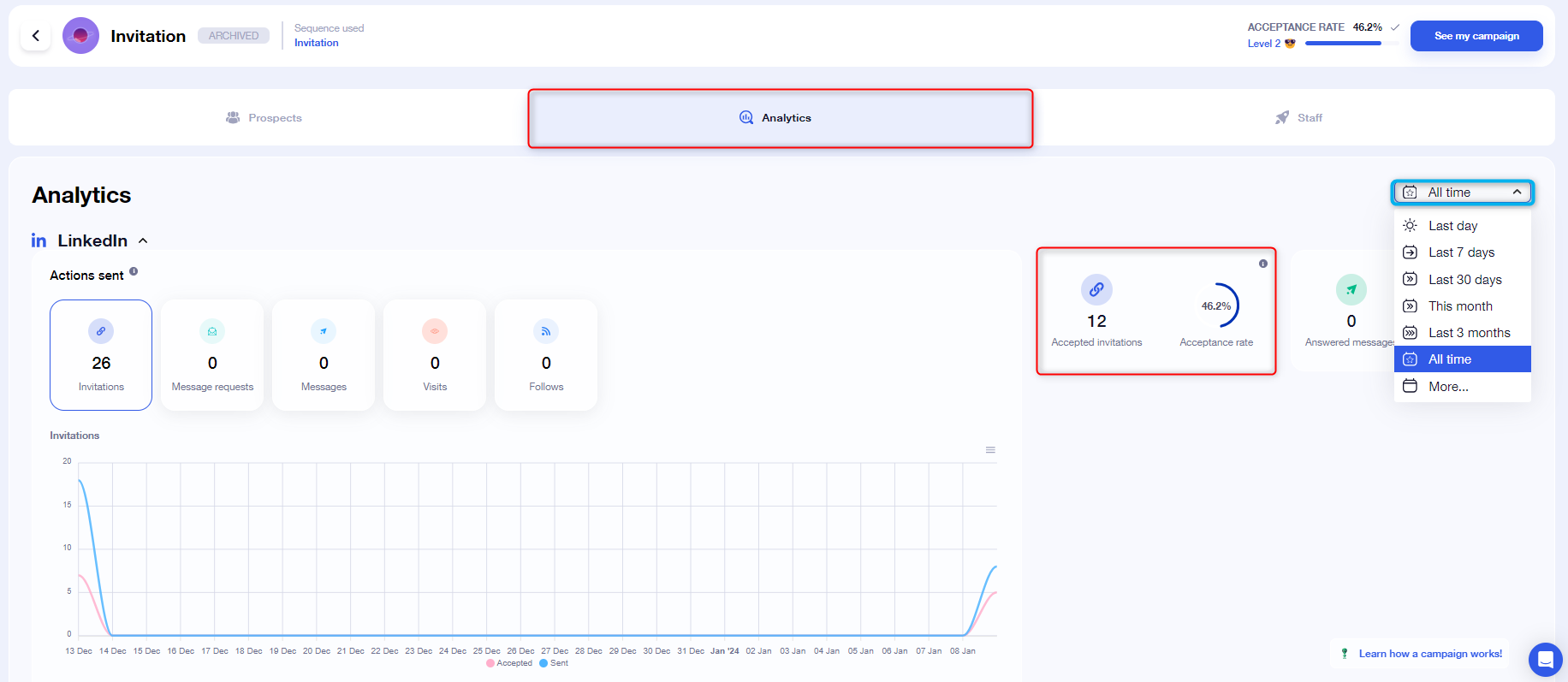

Featured tool
Waalaxy
What importing leads into Waalaxy means
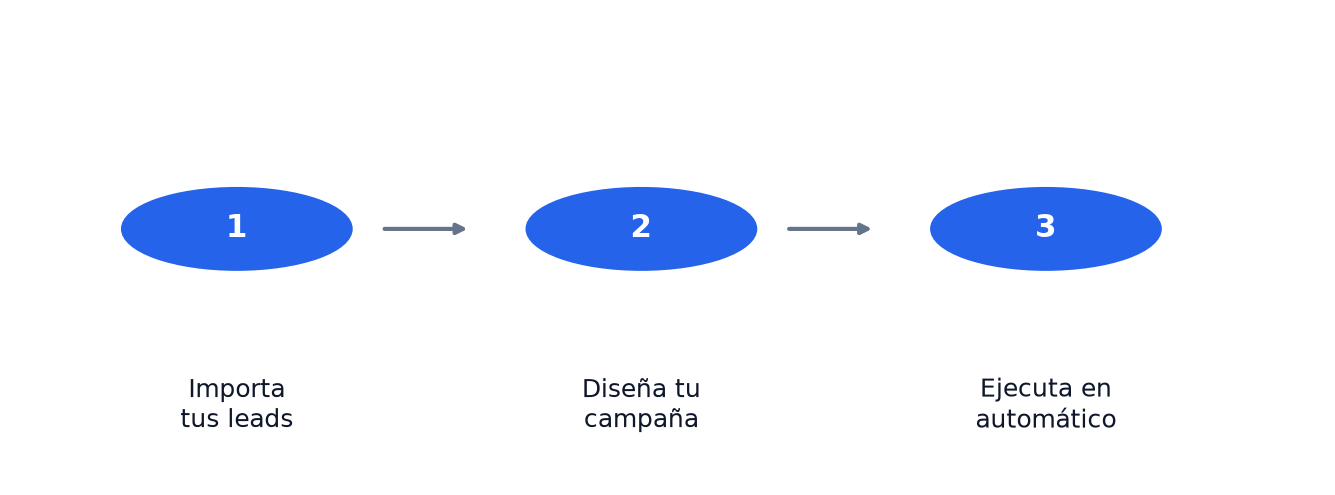
Importing leads into Waalaxy means putting the people you want to contact into the tool, so your campaigns can then work on them. You can do it from a CSV file, a LinkedIn search or a Sales Navigator search. If the import goes wrong, the whole campaign suffers, so it's worth doing it right from the start.
The good news is the process is simple. The bad news is most mistakes happen in the details, especially with the CSV. Let's go through it piece by piece.
Why a good import matters
If you want to try it yourself, create a free Waalaxy account and follow the steps as you read.
Waalaxy works on LinkedIn profiles. To send an invitation it needs the exact link to that person's profile. If the link is wrong, the tool can't find anyone. If the name is wrong, the personalized message comes out with errors. If there are duplicates, you waste invitations on the same person twice.
A clean import is the difference between a campaign that runs itself and one where you spend the morning fixing disasters. That's why I take a moment to get the list right before touching anything else.
The import methods
Waalaxy lets you import leads from several sources, and each one has its moment.
1. From a LinkedIn search
This is the fastest method if you don't have your own list yet. You run a regular LinkedIn search, say "marketing managers in Madrid", and copy the URL of the results page. Paste that URL into Waalaxy and the tool extracts the profiles that show up.
There's a limit: without a premium account, LinkedIn only shows you the first pages of results, so the number of profiles you can pull this way is capped. Still, for getting started it's more than enough.
2. From Sales Navigator
If you have LinkedIn Sales Navigator, the path is similar but more powerful. You can import a saved search or paste a Sales Navigator search URL directly. The advantage is that Sales Navigator lets you filter much more precisely, by industry, company size or job title.
This is the method I recommend if you're serious about prospecting. The quality of the list you get is on a different level from a regular search.
3. From a CSV file
The CSV is the wildcard. If you already have your own database, a list exported from another tool or a spreadsheet with contacts, you upload it and you're done. It's the most powerful method because you're not dependent on what LinkedIn lets you see.
It's also the one that fails the most if you don't prepare the file properly. I'm dedicating the whole next section to it.
4. From other sources
Waalaxy also lets you import people who have commented on or reacted to a LinkedIn post, attendees of an event or members of a group. Those are more niche sources, but very useful when you want to reach people who have already shown interest in a specific topic.
How to import a CSV step by step
This is the flow I follow, and it will save you headaches.
1. Prepare the columns
The CSV needs one column per piece of data, separated by commas. The important columns are first name, last name and, above all, the LinkedIn profile URL. Without the profile URL, Waalaxy can't do anything, because that's the data it uses to find the person.
You can add more columns if you want: company, job title, email. The more you add, the more variables you have to personalize your messages. But the URL is the one that can't be missing.
2. Mind the format
Use the first row for column names and make sure the file is saved in UTF-8. If you use Excel in Spanish, the export may use semicolons as separators instead of commas, and that breaks the import. Check the separator before uploading.
Watch out for special characters. Names with accents or the letter ñ import fine if the file is UTF-8. If you see weird symbols instead of accents, the format is wrong.
3. Upload the file to Waalaxy
In the leads section of Waalaxy you choose import and select the file. The tool shows you a preview so you can check that the columns were assigned correctly before confirming. This is the moment to verify that the profile URL column was recognized as such.
4. Review and clean the list
Once imported, take a minute to review. Check that there are no duplicates, that the URLs load properly and that the number of leads matches what you expected. If something doesn't add up, it's easier to fix now than mid-campaign.
The most common errors
Error number one is not including the LinkedIn profile URL in the CSV. Without it, the import gets stuck halfway or fails outright.
The second is the wrong separator. I've said it already, but it's so common it deserves repeating. A CSV that Excel exported with semicolons instead of commas won't import properly.
The third is duplicates. If your list comes from several sources, it's easy for the same person to appear twice. Waalaxy consumes one invitation per lead, so duplicates make you overspend.
The fourth is skipping the preview. It's the safety net that saves you from the three errors above, and people tend to skip it in a hurry.
What you do after importing
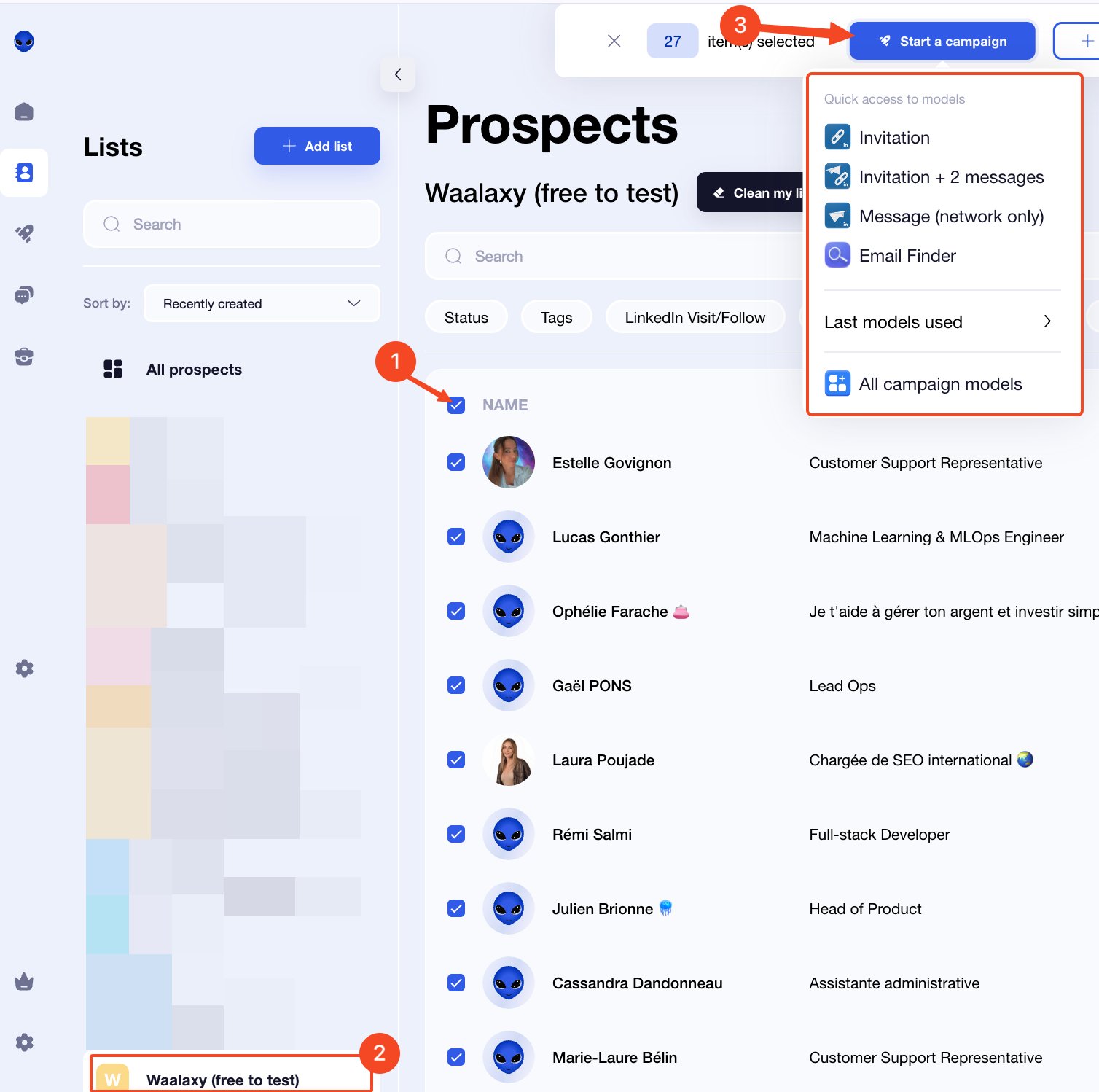
With the list loaded, the next step is to create the campaign and launch it. I explain the full mechanics in my article on what Waalaxy is and how it works, but here's the summary: you create a campaign with its visual editor, tell it which actions to run and on which leads, and let it run.
Before launching, check that the number of invitations you're about to send doesn't exceed your limit. Waalaxy's free plan includes 50 invitations a month, so if you've imported two hundred leads, the campaign will send gradually and part of the list will carry over to next month. That's not an error, that's the limit doing its job.
Verdict
Importing leads into Waalaxy is a simple process, but most failures are avoided before you press the import button. A list with the profile URL properly set, no duplicates and the right format is ninety percent of the work.
Spend those minutes preparing the CSV or picking the right Sales Navigator search. You'll thank yourself when the campaign runs on its own and you don't have to fix errors halfway through.
If you don't have an account yet, you can try Waalaxy free and do your first import today.
Written by
Pablo Giménez
Lead analyst · LinkedIn prospecting
6+ years prospecting on LinkedIn for agencies and SaaS. He tests every tool with real accounts before sharing his opinion, and writes so you do not repeat his mistakes.
Specialty: LinkedIn automation, Waalaxy, account safety