
Dripify: what it is, how it works and what it costs in 2026
Dripify automates LinkedIn and email inside the same sequence and runs it from its own servers, so it does not depend on your browser being open. Here are the real 2026 prices, the daily caps on every plan and what the 527 Trustpilot reviews actually say.
Updated: 2026-09-28
 Pablo Giménez·Lead analyst · LinkedIn prospecting

Featured tool
Dripify
Dripify at a glance
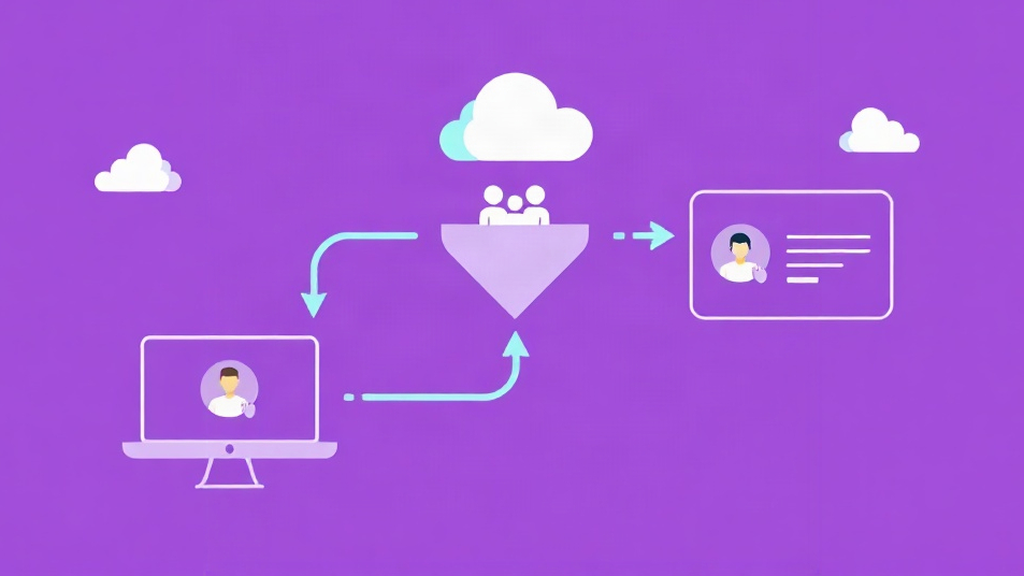
Dripify is a LinkedIn automation tool that also puts email inside the same sequence and runs it from its own servers. Plans start at 39 dollars a month per user if you pay yearly, 59 if you pay monthly, and every one includes 100 email finder credits. The trial lasts 7 days, asks for no card and hands you the features of the top plan.
These are the figures published on its site and on its public profile today:
| Fact | Value in 2026 |
|---|---|
| What it is | LinkedIn automation with multichannel sequences |
| Pricing model | Per user and month, with one seat tied to one LinkedIn account |
| Basic plan | 59 dollars a month, 39 if billed yearly |
| Pro plan | 79 dollars a month, 59 if billed yearly |
| Advanced plan | 99 dollars a month, 79 if billed yearly |
| Daily cap on Basic | Up to 20 connection requests and 30 messages |
| Daily cap on Pro and Advanced | Up to 75 connection requests and more than 100 messages |
| Email finder credits | 100 a month on every plan, they do not roll over |
| Free trial | 7 days with Advanced features and no card |
| How it runs | In the cloud, without depending on your browser being on |
| Integrations | HubSpot, Zapier, Make and Google Sheets |
| Trustpilot score | 4.6 out of 5 from 527 reviews |
| Companies using it | More than 50,000 according to the vendor |
What is Dripify and what is it for?
Dripify does the same thing a dozen tools in this sector do: it connects your LinkedIn account and fires automated actions on it. Connection requests, messages, profile views, InMails. Nothing new there.
Two design decisions set it apart. The first is that email is not an add-on, it lives inside the sequence. You can build a flow that opens with a connection request, follows with a message two days later, drops an email on day four and goes back to LinkedIn with a profile view if there is still no reply. All in one place. The second is that the work happens on their servers, not on your computer.
That last point sounds like a technical detail and it is not. If the automation runs in the cloud, it does not matter whether you close the laptop or go for lunch. If it runs in your browser, your prospecting stops every time you shut the machine down. I have lived with tools that run locally and it is one of those things you only appreciate once you have suffered it.
Who it is for, in practice: salespeople and founders who already use LinkedIn as their main channel and want to add email without paying two subscriptions, small agencies running prospecting for two or three clients, and teams that need to see who contacted whom in one dashboard. It also works with free LinkedIn accounts, so Sales Navigator is not a requirement to get started, though anyone who has it will notice better search filters.
How Dripify works under the hood
LinkedIn and email sequences in the same flow
The sequence builder is the heart of the tool. You work with a list of chained steps where every action carries its own delay and conditions. If the prospect accepts the request, one path follows. If they have not accepted within four days, another one does. It is logic anyone who has used a CRM with automations already knows, applied to a social profile.
On the email side, Dripify connects your inbox, finds and verifies the prospect address and adds those steps to the same flow. Personalisation pulls on around 20 variables, including an AI-generated opener that tries to sound human. On that last point I hold a clear and rather unpopular opinion: I would write the first messages myself. AI is fine for filling in the company name or the job title, not for writing the first sentence read by someone who does not know you. It shows, and it shows a lot.
How it tries not to burn your account
This is the part that interests me most, because it is where these tools break. Dripify caps activity per plan and then adds four layers on top.
The first is a dedicated IP, always the same one and in your location, instead of sharing a range with hundreds of users. The second is cloud sending. The third is human-like behaviour: actions are spaced with randomised timing and only fire inside the working hours you configure, instead of leaving in bursts. And the fourth is adaptive control that adjusts the pace to your account history rather than applying the same speed to everyone.
That said, it pays to dial the hype down. No tool in this sector can promise you immunity, because LinkedIn decides and its rules change without notice. Dripify's caps are sensible and the 75 daily connection requests on the higher plans are still well above what a human profile sustains comfortably. Look at the 20-request cap on the Basic plan and it makes complete sense: it is a plan for one person complementing their prospecting, not for someone who wants to drill the whole market.
Email finder, enrichment and verification
Dripify ships three utilities of its own: a business email finder, an enrichment layer with more than 30 attributes and an address verifier the company claims pushes deliverability up to 99 percent.
The finder credits are the important small print on this tool. Every plan includes 100 a month, they expire after 30 days, they do not roll over from one month to the next and they are only deducted when an address is found and verified. If you need more, packs run from 29 dollars for 1,000 credits to 99 dollars for 10,000. In plain terms: if you plan to build big lists, this part is not included in the subscription and you should budget for it before signing. If you mostly feed on LinkedIn search results, you may never touch the credits at all.
How much does Dripify cost in 2026?
Four plans, all priced per user and month, with a gap between yearly and monthly billing of roughly a third of the price:
| Plan | Yearly, per month | Monthly | What it adds over the previous one |
|---|---|---|---|
| Basic | 39 dollars | 59 dollars | 1 campaign, reduced daily volume and 100 email credits |
| Pro | 59 dollars | 79 dollars | Unlimited campaigns at full volume, A/B testing, personal inbox and data export |
| Advanced | 79 dollars | 99 dollars | Evergreen campaigns, adaptive activity control and team management |
| Enterprise | Custom | Custom | Premium onboarding, dedicated technical support and a customer success manager |
Three notes to read that table properly.
The first is that a seat is tied to one LinkedIn account. A team of five salespeople needs five seats, not one shared login. If your model is several accounts working in parallel, look at the Advanced plan, which lets one administrator manage several teams from a single login.
The second is that the gap between yearly and monthly billing is not a symbolic discount. On the Pro plan it is 20 dollars a month per user, 240 a year. With four seats, that is nearly a thousand dollars annually. If you are going to test seriously, do it on the monthly plan and decide afterwards.
The third is that the 100 monthly credits run out very fast if your strategy depends on cold email. In that case add the credit pack to the budget and compare the total against a specialist tool, because splitting the two channels may work out cheaper.
Is there a free plan on Dripify?
There is no permanent free plan, but there is a 7-day trial that gives you the Advanced features and asks for no card. Once it ends, nothing is charged automatically: you either pick a plan or the account simply goes inactive.
Seven days are enough to test the mechanics, not to draw conclusions about results. My concrete advice is not to spend them poking at the interface. Connect your account, build a short three-step sequence with 30 real prospects from your market and watch two things: whether requests go out at the pace you configured and whether the email finder hits home with Spanish contacts. That second point is usually the disappointment in tools like this, because data coverage in Spain is always worse than in the United States.
If what you want is to test LinkedIn without rushing and with a free plan that does not expire, Dripify is not the best front door. Waalaxy starts at 19 euros a month, keeps a free plan forever and lets you try every feature for 14 days with no card, so for a first contact it comes out considerably cheaper. You have the detail in what Waalaxy is and how it works.
Dripify against Waalaxy and HeyReach
These three tools look alike on the surface and differ in pricing model and scope. Side by side:
| Dripify | Waalaxy | HeyReach | |
|---|---|---|---|
| Entry price | 39 dollars a month yearly, 59 monthly | 19 euros a month | 79 dollars a month per account |
| Model | Per user, one seat per LinkedIn account | Per user with invitations included | Per connected LinkedIn account |
| Email in the sequence | Yes, on every paid plan | No, it sits outside | As a complementary channel |
| Where it runs | In the cloud | In your browser | In the cloud |
| Several accounts | Only from Advanced upwards | Not its focus | Its speciality, with automatic rotation |
| Trial | 7 days with Advanced features | 14 days plus a free plan | Paid trial |
The reading I take from it: Waalaxy is the cheapest option and the most forgiving, especially if you are starting out and do not want to risk your account on high volumes. HeyReach is built for agencies managing many accounts at once and needing to rotate between them, something Dripify only solves on its higher plan. Dripify sits in the middle, with email inside the sequence and cloud execution as its main arguments.
If your case is an agency with several LinkedIn accounts, it is worth reading what HeyReach is first. And if what you are missing is precisely the email leg, Instantly offers 14 days of free trial for new users, with the advantage of being a specialist rather than an added feature. I compare it in detail in the Instantly.ai review.
What do Dripify reviews say?
Here there is genuine volume, which is what I was missing on other tools in this blog. On Trustpilot it holds 4.6 out of 5 across 527 reviews, and the most recent ones I read are from September 2026.
What repeats in the positive ones: that the initial setup is fast, that the learning curve is short even for non-technical people, that the dashboard makes sense, and that support answers. A salesperson with nearly thirty years of experience wrote that he had achieved higher acceptance and reply rates than ever, and another, the founder of a small company, said two weeks in that leads were already coming in. One review caught my eye because it comes from someone who switched over from HeyReach and names support as the reason.
What repeats in the negative ones, and this matters more: that the advanced options feel half-finished and confusing, that sequences already launched cannot be edited once they are running, that the basic plan is too narrow and pushes you to Pro, and several warnings about billing and about how hard it is to cancel. There is also a user complaining about LinkedIn restrictions caused by connection caps, which is worth keeping in mind because no tool limit protects you completely.
Compared with what you see in this sector, 4.6 from more than five hundred reviews is a solid score. It is not a spotless tool, but the people using it are not angry.
The drawbacks I see
The first is the single seat. One user, one LinkedIn account. In 2026 there are tools that charge per connected account and let a team spread the work across several without paying twice for the same person. If your operation is small this difference never touches you. If you manage client accounts, it does.
The second is editing live campaigns. Once a sequence is launched, changing it is not as simple as it should be. In practice that means you configure more carefully than you would like, and you learn that after burning a badly built campaign.
The third is company transparency. There is no team page or about section on its site, it does not publish a founding year, and Trustpilot places it in the United States with a support email as the only visible channel. It is not a product problem, but when I am about to hand over my LinkedIn account and my inbox, I like to know who is on the other side. It is the exact opposite of what Surfe does, which makes a point of showing off its team and nationalities.
The fourth is the credits. 100 a month, expiring after 30 days and not accumulating, is a very low ceiling if email is part of your main strategy. And it is not a sending cap, it is a lookup cap, so paying the subscription does not remove the credit pack from the equation.
Verdict: is Dripify worth it in 2026?
If your prospecting lives on LinkedIn and you want email inside the same sequence without hiring another tool, Dripify is a coherent option and its yearly entry price is competitive within this group. Cloud execution and the safety layers are well thought out, the tool works with a free LinkedIn account and 527 reviews back up the fact that it is not a half-built product. Start on the monthly plan, build a short sequence with real prospects and measure the email finder's accuracy against your own contacts before committing for a year.
If your budget is tight or you are just starting, I would not start here. Waalaxy costs half as much, has a free plan forever and lets you try it free for 14 days with no card, and that is enough to validate whether LinkedIn gives you conversations before paying a 60-dollar-a-month subscription. And if cold email is your main channel rather than a complement, a specialist makes more sense: Instantly offers 14 days free for new users and its yearly plan starts below Dripify's Basic.
The doubt Dripify settles is a specific one: I want both channels in a single flow and I do not want to depend on my computer. If that sentence describes you, it is one of the sensible options on the market. If not, there are cheaper roads. And if your fear is getting banned, read how to prospect on LinkedIn without getting banned before automating anything, because the tool protects you but will not save you from a bad strategy.
Written by
Pablo Giménez
Lead analyst · LinkedIn prospecting
6+ years prospecting on LinkedIn for agencies and SaaS. He tests every tool with real accounts before sharing his opinion, and writes so you do not repeat his mistakes.
Specialty: LinkedIn automation, Waalaxy, account safety