
HeyReach: what it is, how it works and what it costs in 2026
HeyReach connects several LinkedIn accounts to one dashboard and rotates between them so none gets burned. Here is how its sender system works, what it costs in 2026 and what the reviews really say.
Updated: 2026-09-23
 Pablo Giménez·Lead analyst · LinkedIn prospecting

Featured tool
HeyReach
HeyReach at a glance
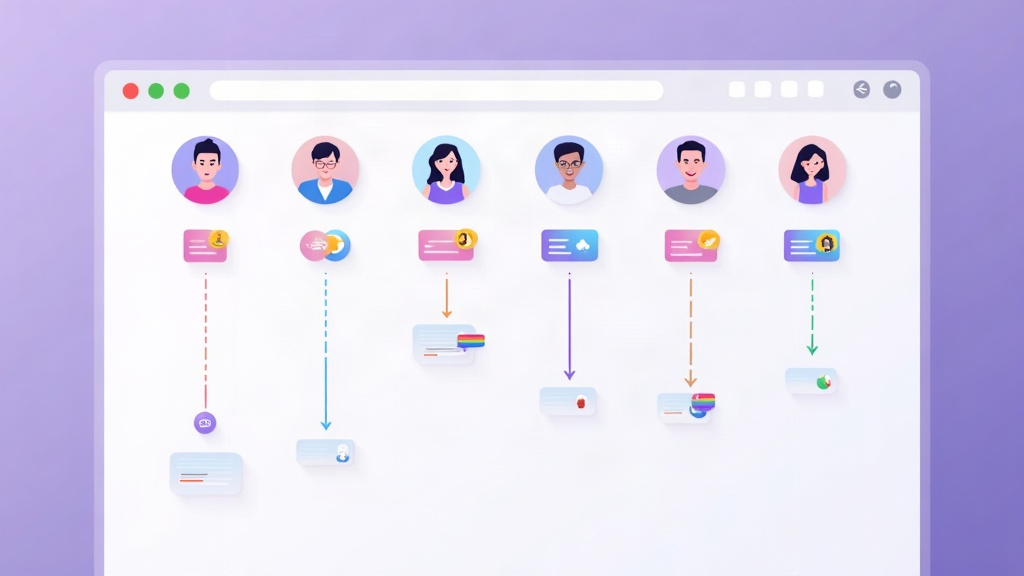
HeyReach is a LinkedIn automation tool built for people who run several accounts at once. The pricing unit is the sender, meaning each LinkedIn account you connect: the Growth plan costs 79 dollars a month per account, Agency starts at 999 dollars a month with 25 accounts included, and Unlimited runs at 2,999 dollars a month capped at 300. Users, clients and assistants are never charged separately, and the entry plan comes with a 14-day free trial and no card required.
These are the figures published on its website today:
| Data point | Value in 2026 |
|---|---|
| What it is | LinkedIn automation across multiple accounts |
| Pricing model | Per sender (LinkedIn account), not per user |
| Entry plan (Growth) | 79 dollars a month per account, 63 if billed yearly |
| Agency plan | 999 dollars a month with 25 accounts included |
| Unlimited plan | 2,999 dollars a month, capped at 300 accounts |
| Users, clients and assistants | Unlimited and free |
| Free trial | 14 days on Growth with no card, 30 days on Agency and Unlimited on request |
| Proxies | Dedicated proxy included per account on Growth, you bring your own on Agency and Unlimited |
| Automated actions | Connection requests, messages, follow-ups, voice notes and profile views |
| Integrations | Clay, Instantly, Smartlead, HubSpot, Make, Zapier, API and MCP server |
| Trustpilot score | 4.3 out of 5 |
| Background | Tool launched in 2023 with agencies as its first target |
What is HeyReach and what is it for?
HeyReach does the same job as any LinkedIn automation tool, with one difference that changes who it is aimed at. Instead of running one account per licence, it is built to connect many accounts at once, spread the work across all of them and keep an eye on none of them going past the limits LinkedIn tolerates.
Who it is for, in practice: agencies running outbound for several clients, sales teams that want to split prospecting across every rep's account, and consultants managing other people's profiles. If you are a solo operator with a single LinkedIn account, the tool is far more than you need and the price does not work in your favour. I am saying that up front because it is the most important decision in this review.
What it is for, specifically, comes down to three things. The first is multiplying volume without leaning on one account. Instead of sending 20 invitations a day from your profile, you connect five accounts and the system spreads them out. The second is not losing sight of a single reply, because everything lands in one inbox instead of being scattered across five separate logins. The third is writing your safety rules into the tool itself: daily limits per account, automatic rotation and a pause when something falls outside the expected pattern.
The team launched it in 2023 with a line that has stuck to the product ever since, the first agency-friendly LinkedIn outreach tool. I cannot tell you whether it was literally the first, but it was one of very few attacking that gap while everyone else was selling individual licences.
How HeyReach works: senders, rotation and the unified inbox
What a sender is and why it sets the price
A sender is a LinkedIn account connected to HeyReach. That is all it is. The practical consequence is that if your team has seven people but only three solid accounts to prospect from, you pay for three senders rather than seven licences. Colleagues, interns, clients and virtual assistants get in free and share the dashboard.
It is a model that fits agencies, because their cost grows with prospecting volume rather than headcount. It also has an awkward side for everyone else: if you work alone and want one account, you pay the full entry plan, 79 dollars a month, with no way to share it.
Account rotation and safety limits
This is the reason the tool exists. When you connect several accounts, HeyReach spreads invitations across all of them while respecting a daily ceiling per account, and if one starts showing odd signals it is pulled out of the rotation. Instead of leaning on a single account until LinkedIn steps in, the system shares the load and keeps every profile inside what looks like human usage.
The thing users repeat most in reviews over the past year is exactly this, that they have gone months with several accounts and no restrictions. An April 2026 review puts it in the word the industry uses, security, and mentions two concrete details: a custom proxy per account and a persistent session so you do not have to reauthenticate each profile. That last point sounds minor, but it is the difference between a system that runs on its own and one that has you checking your phone every morning.
The unified inbox, which is where the hours go
If you have run client accounts, you know the problem. You log in and out of five profiles, miss a reply, answer late and the client notices. HeyReach centralises every conversation from every connected account in a single inbox, with the full thread in the same place.
It is not a spectacular feature, it is plumbing. But it is the one that stops your team having to live inside LinkedIn. Reviews that mention it talk about hours saved per week, and on a five-account workflow I believe them.
Integrations, API and the MCP server
The tool leans on what you already use instead of trying to replace it. It has a native integration with Clay, which is the piece that turned HeyReach into a popular option among GTM teams, plus Instantly and Smartlead for sequences that start on LinkedIn and continue over email. On top of that there are connectors for HubSpot, Make, Zapier, RB2B, Trigify, Twain and Persana, plus API and webhooks for anything missing from the list.
The 2025 addition was its MCP server, which lets you connect HeyReach to AI assistants. In practice you can ask an agent to split a lead list, build a campaign with custom messages and tag replies by sentiment before pushing them to your CRM. It is at the same stage as the rest of the industry, everyone is announcing the same thing, but here the use case is obvious because repetitive LinkedIn work lends itself to it.
What does HeyReach cost in 2026?
Prices are in dollars and there are three tiers. Growth is charged per account, the other two per bundle of accounts:
| Plan | Monthly price | Yearly price (per month) | Accounts included | What it adds |
|---|---|---|---|---|
| Growth | 79 dollars per account | 63 dollars per account | As many as you buy | Unified inbox, all actions, dedicated proxy, 100 enrichment credits |
| Agency | 999 dollars | 799 dollars | 25, with a 50 option | Whitelabel, guided onboarding, Slack channel, 1,000 credits |
| Unlimited | 2,999 dollars | 2,399 dollars | 300 as the ceiling | Multiple whitelabels, migration done for you, priority support, 3,000 credits |
Four notes to read that table properly.
The first is that the yearly discount is real and reaches 20 per cent on the middle plans, so Growth lands at 63 dollars per account and Agency at 799 dollars a month with a full invoice of 9,590 dollars a year. That is a serious saving if you are certain you will keep using it, and a serious commitment if you are still testing.
The second is that proxies do not behave the same across plans. On Growth every account gets its own dedicated residential proxy, which is a good deal. On Agency and Unlimited HeyReach expects you to bring your own, and if you do not have them you have to talk to them about a solution. It is a cost that does not appear in the table and it can sting if you are coming from a tool where everything was included.
The third is the 300-account cap on Unlimited. The website justifies it as a fair-use policy to prevent abuse, which is reasonable, but it is worth knowing that the word unlimited comes with small print.
The fourth is whitelabels. The Agency plan includes one, and every additional brand costs 500 dollars. If you are an agency presenting the tool under your own brand to several clients, do the maths before signing, because it is an extra that adds up.
And one thing I do like that the table cannot show: there is no cost per user. You can add your whole team, every client and every assistant working the lists without the invoice moving. In a sector where plenty of tools charge per seat, that gap shows up over a year.
Is there a free trial?
Yes, and there are two. The entry plan lets you test the tool for 14 days with no card and up to three connected LinkedIn accounts, which is more than almost every trial in this category and enough to measure the real acceptance rate of your lists.
For the Agency and Unlimited plans the window is 30 days, but you have to request it by talking to them. There is no self-service, so expect a call first.
My advice for the trial is the usual one. Before connecting anything you care about, pick two LinkedIn accounts that are not critical to your business, set a conservative daily limit and let a campaign run for five days. If the dashboard does not force you to intervene and replies land in the unified inbox without any going missing, you already know what you need to know.
HeyReach vs Waalaxy: which one is for you?
Both automate LinkedIn, but they are not sold to the same person and you can see that in how they charge.
| HeyReach | Waalaxy | |
|---|---|---|
| Focus | Several LinkedIn accounts at once | One account per user |
| Pricing model | Per connected account | Per user |
| Entry price | 79 dollars a month per account | 19 euros a month with 300 invitations |
| Scaling | Plans with 25, 50 or 300 accounts | Plans with 300 or 800 invitations per account |
| Growth penalty | You pay per account, not per person | You pay per user |
| Free trial | 14 days on Growth, 30 on Agency and Unlimited | 14 days on every plan |
If you have one LinkedIn profile and work alone, Waalaxy costs you a third of that and gives you everything you need, with sequences, follow-ups and an inbox inside the same account. You can start the 14-day trial with no card and settle the question in an afternoon.
If what you have is a distribution problem, ten reps and no appetite for prospecting to depend on three profiles, HeyReach solves something Waalaxy was never designed to do. And if your doubt is the one almost everyone has, start with prospecting on LinkedIn without getting banned and with what LinkedIn automation actually is before connecting anything.
One more useful crossover. If the LinkedIn work is only the first half of your sequence and the email has to go out behind it, HeyReach integrates with Instantly and Smartlead, which is a clean way to build multichannel. Instantly offers 14 days free for new users, and if you want to understand what you are walking into first, here is the full Instantly review.
What do the reviews say about HeyReach?
It holds a 4.3 out of 5 on Trustpilot, which is a high score in this sector and especially so next to the databases that sell personal data. The company replies to reviews one by one, which almost nobody does.
The positive ones repeat with few variations: that they have run several accounts for months without restrictions, that the unified inbox has taken hours off their week, that session stability is better than other tools they have tried and that support answers fast with real people rather than help articles. Several reviews are signed by agency founders managing client accounts, which is exactly the use case the tool was built for.
The criticism deserves the same attention. A very detailed review from January 2026 says customer service has degraded compared to earlier years, that responses take business days rather than hours and that there is a no-refund policy even when the fault is the tool's. Another, from the same week, mentions recurring bugs and an interface that feels dense at first, taking a day or two to learn where everything sits.
Three things can be said about all that without dressing it up. The first is that a 4.3 score rests on the product, not on marketing. The second is that support behaviour is where the company is staking its reputation in 2026, and some reviews suggest headcount has not kept pace with customers. The third is that no refunds is a real risk when you are paying 9,590 dollars up front for the yearly Agency plan, so start with the 14-day trial before committing.
The drawbacks I see
Four, and none of them are about whether the tool works.
The first is that automating several accounts multiplies the consequences of getting it wrong. The system enforces the limits and rotates, but if you connect freshly created profiles, with no previous activity and the same message list for all of them, the problem is not the tool, it is the plan. This way of working does not forgive the improvisation a single account will.
The second is the entry cost for a solo operator. 79 dollars a month for one account is three times what the European alternative costs, and there is no small plan. If your volume is low, there is nothing to negotiate here.
The third is proxies on the agency plans. I understand the logic, every client with their own infrastructure, but a mandatory extra that is not in the advertised price is always a bad surprise. Ask before you sign.
The fourth is the one support cannot fix. HeyReach works against LinkedIn's terms of use and their own footer says so, stating they have no relationship with the company. Automating a client's profile carries an inherent risk, and anyone selling you the opposite is selling smoke. The responsible path is conservative limits, never connecting accounts you cannot afford to lose, and putting in writing for the client what it involves.
Verdict: is HeyReach worth it in 2026?
If you run several LinkedIn accounts, or you are about to, it is one of the most coherent options on the market. The pricing model matches how agencies actually work, rotation and per-account limits do a serious job, and the unified inbox turns a chaos of logins into a dashboard you can leave open all day. The 14-day trial with no card and three accounts is enough to check it with your own data.
If you work alone with a single profile, I would not recommend it. You would be paying for capacity you will not use, and on top of that you would have to learn an interface designed for managing client portfolios. For that case, Waalaxy starts at 19 euros a month and you can try it free for 14 days with no commitment.
And if your real question is whether automating LinkedIn is worth it at all, that is a different one. The short answer is yes, with low limits and messages that do not read like a robot. The long one is in how to prospect on LinkedIn without getting banned, which is the article you should read before connecting your first account.
Written by
Pablo Giménez
Lead analyst · LinkedIn prospecting
6+ years prospecting on LinkedIn for agencies and SaaS. He tests every tool with real accounts before sharing his opinion, and writes so you do not repeat his mistakes.
Specialty: LinkedIn automation, Waalaxy, account safety