
HubSpot: The Complete Inbound CRM Guide for 2026
HubSpot is the world's best-known CRM, with a free forever plan and marketing, sales and service all integrated. I tell you what it is, what it's for, how it works, what it costs in 2026 and whether it's worth it compared to Salesforce or Pipedrive.
 Pablo Giménez·Updated: 2026-08-27
What Is HubSpot, in a Nutshell
HubSpot is the world's best-known CRM, free forever and with marketing, sales and customer service built in. It was born from the inbound methodology and has become the standard for teams that want to attract, convert and retain customers on a single platform.
What Is HubSpot
HubSpot is the company that invented inbound marketing as a concept and then built the software to practice it. Founded in 2006 in Cambridge, Massachusetts, it popularized the idea of attracting customers with useful content instead of interrupting them with advertising, and on that foundation it built an ecosystem of products.
Today the platform is organized into hubs. The Smart CRM is the free core, and around it sit Marketing Hub, Sales Hub, Service Hub, Content Hub, Data Hub and revenue modules. You can buy them separately or together, and they all share the same contact database.
The key to HubSpot is that data unity. The contact who downloads your guide, the one who receives the nurturing email, the one who talks to support and the one who eventually buys is the same record with its full history. That sounds obvious, but in practice almost no competitor does it as cleanly.
I've seen it from both sides, as a user and as a consultant who implements it. It's a tool that rewards patience. The first weeks are tough, but once you set up the foundation well, everything else builds on top of it with an ease you won't find on other platforms.
What Is HubSpot Used For
Free CRM for Life
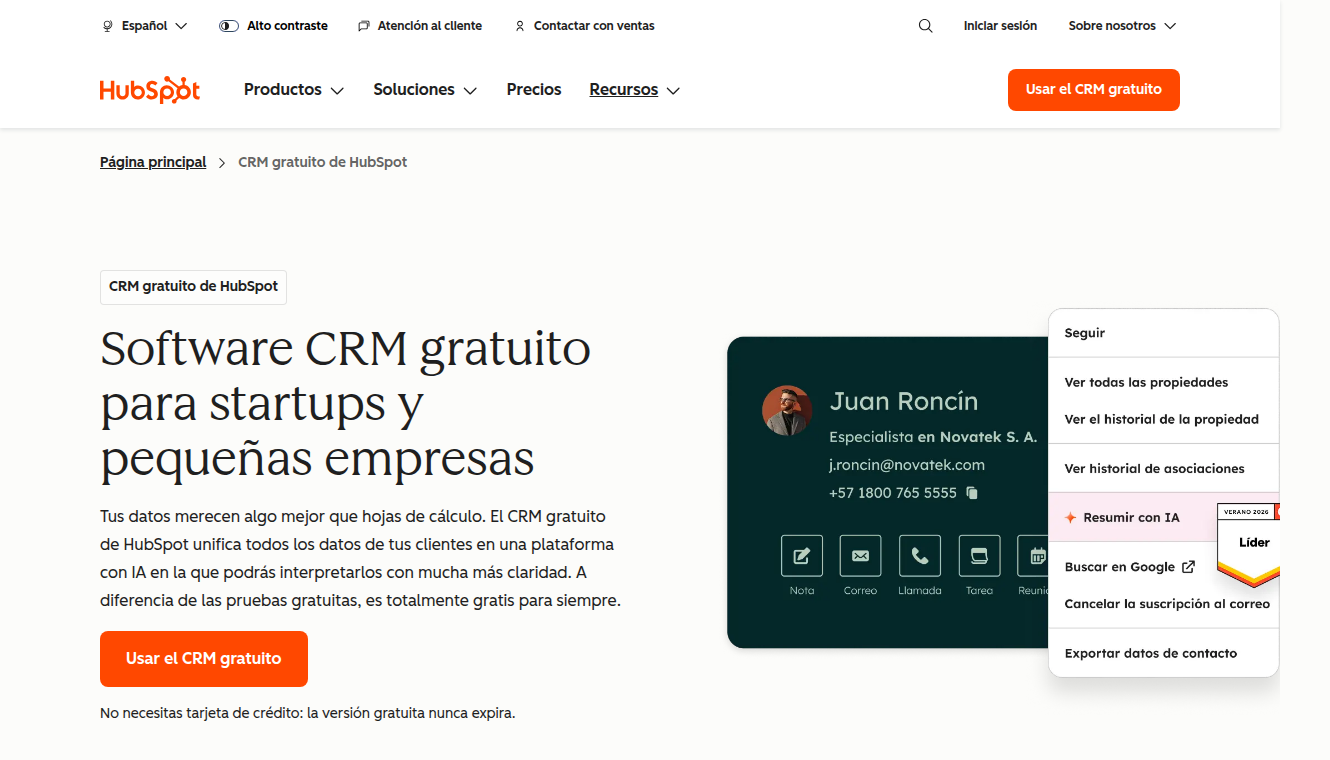
The Smart CRM is free forever and never expires. You manage contacts, companies, deals and tickets, with up to two users and no contact limit on the base plan. It's the most serious free plan in the entire CRM market.
Marketing Hub
This is where inbound lives: landing pages, forms, email marketing, campaign automation, SEO and social media. The goal is to capture demand and nurture it until it's ready for sales. If your business grows with content, this is your module.
Sales Hub
The sales module adds email sequences, meeting scheduling, pipelines and tracking. It connects directly with marketing, so the rep sees what the prospect has read before calling them. That changes the quality of every conversation.
Service Hub
Customer support with tickets, chat, knowledge base and satisfaction surveys. A satisfied customer's support ticket can end up becoming a cross-sell, and HubSpot keeps it all in one place.
App Ecosystem
HubSpot's marketplace is enormous, with thousands of integrations. If something's missing, chances are an app or a Zapier connection exists for it.
How HubSpot Works
The typical inbound flow goes like this. A visitor lands on your website, downloads a guide in exchange for their email and becomes a contact. The form is connected to the CRM, so the record is created automatically, with the source and the origin page.
From there, Marketing Hub automations take over. The contact receives a nurturing sequence, gets scored based on their behavior and, when they reach the threshold, is assigned to a rep with a follow-up task.
The rep opens the record and sees everything: opened emails, visited pages, submitted forms. They move the deal through the Sales Hub pipeline until closing, and afterwards the customer moves to Service Hub if they need support.
That complete journey on a single platform is HubSpot's big promise. The trade-off is that setting up each piece properly takes time. Those who fail with HubSpot are usually the ones who install it without thinking about the sales process behind it.
How Much Does HubSpot Cost in 2026
Prices from HubSpot's official website in euros. The free CRM exists, and each hub has its own plans. Here are the Marketing Hub ones, which is the most common, with annual billing.
| Plan | Price per month | Highlights |
|---|---|---|
| Free | 0 euros | Free CRM for life, up to 2 users |
| Starter | from 7 euros per license | Email marketing, simple automation, 1,000 contacts |
| Professional | from 792 euros | Omnichannel automation, 3 licenses, 2,000 contacts |
| Enterprise | from 3,300 euros | 5 licenses, 10,000 contacts, multi-touch attribution |
Watch out for the nuances. Starter's price is advertised from 7 euros per month per license with annual payment, and on monthly billing it goes up to around 20. Professional and Enterprise plans also include a one-time onboarding fee that for Marketing Hub runs around 2,930 and 6,830 euros respectively. And each hub is paid separately, so if you take Marketing and Sales, you add up.
The pricing strategy is clear. Get in free, scale up when the value is proven. Exactly the model a team starting with no budget needs.
Key Features of HubSpot
- Free CRM for life
- Marketing Hub with landing pages and automation built in
- Sales Hub with sequences and pipelines
- Service Hub for customer support
- Huge ecosystem of apps and integrations
- Unified data in a single record per contact
HubSpot vs the Alternatives
Salesforce is the corporate giant. Its power is superior in complex sales and large accounts, but the cost, the implementation and the learning curve are from another galaxy. HubSpot wins on usability and price for teams under fifty people.
Pipedrive is the simplicity rival. For pure direct-sales pipeline it's faster to set up and cheaper per user, but it has no marketing or service built in. If you only sell, Pipedrive. If you want the complete lead-generation machine, HubSpot.
Brevo or ActiveCampaign cover email marketing on their own, and in fact I use them for specific campaigns. But when you need email, CRM and support to share the same database, putting that unity together by hand with several tools costs you more in hours than a HubSpot plan.
My article on prospecting tools for marketing agencies can help you compare how each piece fits in a real stack, and if your focus is direct acquisition without inbound, the one on B2B prospecting for freelancers gives you the other point of view.
Who HubSpot Is For and Who It Isn't
HubSpot is for teams that want real inbound, with content, email and sales coordinated. It's ideal for scaling startups, SMBs with a marketing team and companies that sell to other companies with medium decision cycles.
It's not for the freelancer who just wants a simple pipeline, there Pipedrive beats it on speed and price. Nor for organizations with highly customized sales processes or extreme regulatory needs, where Salesforce still rules. And if your strategy is pure aggressive outbound, a good part of what you pay for in HubSpot you won't use.
If your acquisition runs through cold email, keep in mind that HubSpot works to organize the leads who reply, but mass cold sending is better done with specialized tools that then push the contacts into the CRM.
Pros and Cons of HubSpot
The good:
- A genuinely free CRM with no contact limit
- Unified data on a single platform
- Huge app ecosystem
- Excellent documentation and support
- Scales naturally from zero
The bad:
- Paid plans climb fast with contacts and licenses
- The learning curve is real in the first weeks
- Onboarding fees on higher plans
- Can be overkill for simple direct selling
Is HubSpot Worth It?
It depends on your model. If you work with inbound or want to set it up, yes, it's the best investment you can make and you also start for free. If what you need is a simple pipeline for a sales team, HubSpot is more than you need and a Pipedrive serves you better.
My advice: create the free CRM today and use it for a week with your real contacts. If you see that you need connected forms, automated email or the support team in the same database, then move up to Starter and grow module by module. HubSpot rewards those who start small and build with order.
Written by
Pablo Giménez
Lead analyst · LinkedIn prospecting
6+ years prospecting on LinkedIn for agencies and SaaS. He tests every tool with real accounts before sharing his opinion, and writes so you do not repeat his mistakes.
Specialty: LinkedIn automation, Waalaxy, account safety
HubSpot
HubSpot