
Clay (clay.com): what it is, how it works and how much it costs in 2026
Clay connects more than 150 data providers inside a spreadsheet, researches every row with AI and automates prospecting. Here is how it works, what it costs in 2026 and who should stay away.
Updated: 2026-10-26
 David Ortega·Analyst · Data and B2B databases

Featured tool
Clay
Clay at a glance
In one sentence: Clay is a data enrichment and prospecting automation platform that brings more than 150 data providers into one spreadsheet, researches every row with AI and pushes the result into your sending tool. It starts free with 100 data credits and 500 actions a month, and the first paid plan costs 185 dollars per month.
These are the numbers published on its website today:
| Fact | Value in 2026 |
|---|---|
| Free plan | 100 data credits and 500 actions a month, unlimited seats |
| First paid plan | Launch, from $185/month ($167/month billed yearly) |
| Growth plan | From $495/month ($446/month billed yearly) |
| Price per data credit | From $0.05 per credit |
| Price per action | Under $0.01 per action |
| Data providers | 150+ on its pricing page, 200+ data and AI vendors on its homepage |
| Row limit | 200 rows per table on the free plan, 50,000 on Launch |
| Declared customers | More than 500,000 go-to-market teams |
| Founded | 2017 in Brooklyn, New York |
| Valuation | $7.1 billion after a $115 million round |
| Trustpilot score | 2.8 out of 5, rated "Average" |
What is Clay and what is it for?
Clay started in 2017 as a spreadsheet that let people program without knowing how to program. In 2021 the company stopped trying to be a tool for everyone and focused on sales. That pivot explains what it is today: a workbench where you drop a list of companies or people and get the same list back with verified emails, phone numbers, firmographic data, buying signals and even a research paragraph written by an AI for each prospect.
What it is for depends a lot on where you stand. If you are a single salesperson sending 300 emails a month, Clay is probably too much. If you run sales operations and your problem is a half-empty CRM, stale lists and one hour of manual work for every hundred contacts, it is a different conversation.
In practice, Clay buys data on your behalf. You bring the accounts or profiles you care about, and the tool keeps trying providers until it finds the email or mobile number you need, with the cost of every attempt visible. That idea is why the company went from a $1 billion valuation in 2025 to $7.1 billion in 2026, with $100 million in recurring revenue and 400 employees along the way, according to its own timeline.
It is worth saying early what it is not. It is not a cold email sending tool, even though it ships with email sequences. And it is not a CRM. It is the layer that comes before: the one that decides who to write to, with which data and with which excuse.
How does Clay work? Tables, waterfalls and Claygent
The spreadsheet that changes everything
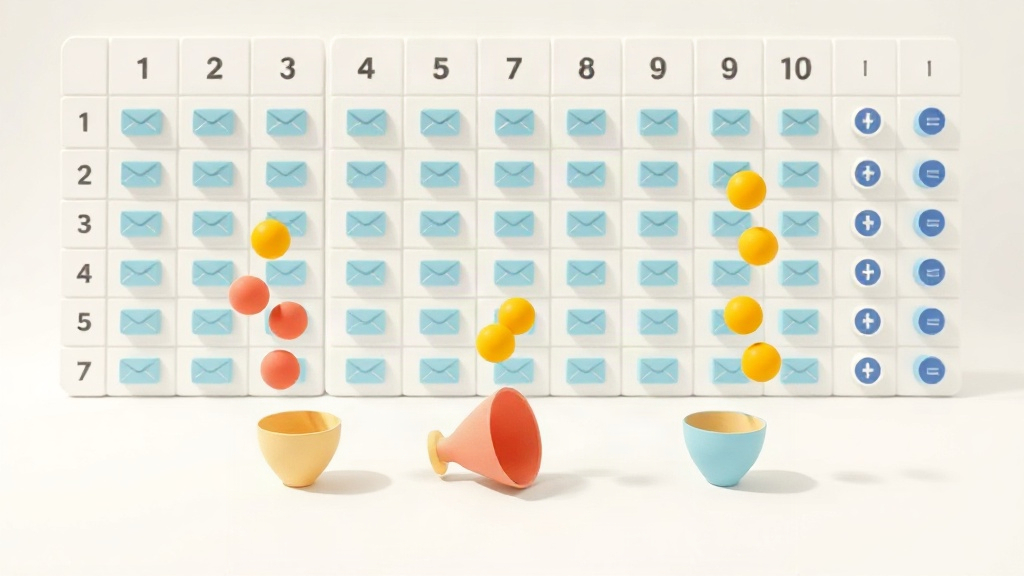
The main screen is a table. Each row is an account or a contact. Each column is a field, and columns are not dead data, they are operations. You add a column called "email of the head of operations", choose which providers should be queried and in what order, and watch the result appear row by row.
That is the difference with Apollo or Lusha. In a classic database you run a search and take whatever comes back. Here you build the process, reuse it and run it again whenever you want. The free plan caps you at 200 rows per table, Launch goes up to 50,000 and on Enterprise bulk enrichment has no limit.
Waterfalls: trying ten providers in one column
The most used feature is the waterfall. Instead of trusting a single provider, you tell Clay to try one, then the next if there is no result, and so on up to five or ten. You only pay for the data that actually lands, because if an enrichment returns nothing, neither credits nor actions are charged.
That solves the most expensive problem in the industry, which is paying for dead data. It also explains why the tool is not cheap: underneath there are contracts with more than 150 providers and a volume negotiation the company claims to pass on to customers.
If you already have your own API keys for a provider, you can bring them and skip the data credit cost entirely. You only pay for the platform actions.
Claygent: the researcher that works row by row
Claygent is the in-house AI agent. You give it an instruction in plain language and it runs it for every row. Things like "check this company's website and tell me whether they mention international expansion in the last six months" or "summarise in one sentence what this role does according to their public profile".
It works better than I expected on companies with a decent website and worse on local businesses with no digital presence. And it costs money. Every run burns data credits or actions, and with the most powerful models pricing becomes variable per token, with GPT-5.1 and Claude 4.6 Sonnet among those billed that way. Clay says it charges raw consumption with no markup in those cases, and that 80 % of models keep a flat price.
Sending and activation
The free plan already includes Clay Sequencer, which sends emails from inside the tool. Launch adds integrations with your email campaigns and Growth brings CRM sync, webhooks, an HTTP API and audience pushes to advertising platforms.
This is where Clay connects to the rest of your stack. The usual setup is not to send from Clay, but to push the enriched list into Instantly or Waalaxy and let those tools handle sequencing and warm-up.
How much does Clay cost in 2026?
Four plans and two internal currencies you need to understand before looking at the big number.
| Plan | Monthly price | Yearly price | Data credits | Actions per month |
|---|---|---|---|---|
| Free | $0 | $0 | 100 | 500 |
| Launch | $185 | $167/month | 2,500 | 15,000 |
| Growth | $495 | $446/month | 6,000 | 40,000 |
| Enterprise | Custom | Custom | 100,000+ | 200,000+ |
The logic has two parts. Data credits are the money Clay uses to buy information from its providers, and each credit costs from five cents. Actions measure platform work: enriching, running a table, calling a model, exporting. They cost under a cent and do not roll over from one month to the next.
Data credits do roll over, up to twice what your plan includes. That detail matters in an irregular business. If January is quiet, you have room in February.
What bothers me most is the entry jump. The free plan is generous on seats and laughable on rows, 200 per table, so it is good for learning and useless for working. And from free to the first paid plan there are 185 dollars a month, with no step in between. For a solo consultant billing 3,000 euros a month, that jump is the whole decision.
Next to its neighbours, Clay plays a different price league. Apollo starts at $49 per user per month billed yearly, Lemlist at $55 and Prospeo at $49. None of them does what Clay does, but none of them asks for 185 dollars to get started.
Try Clay free with 100 credits and 500 actions
Clay vs Apollo vs Lemlist vs Instantly
| Criterion | Clay | Apollo.io | Lemlist | Instantly |
|---|---|---|---|---|
| Entry price | $185/month | $49/user/month billed yearly | $55/month billed yearly | $47/month |
| Free plan | 100 credits and 500 actions | Limited | No | 14-day trial |
| Strongest at | Enrichment and AI orchestration | Huge database plus sequences | Multichannel with email and social | Sending and domain warm-up |
| Learning curve | High | Medium | Low | Low |
| Replaces Clay | No | No | No | No |
The honest comparison is this: Apollo and Lemlist are tools for selling, Clay is a tool for building the system that sells. If your problem is that you have no contacts, Apollo solves it for 49 dollars. If your problem is that the contacts you have are incomplete, outdated or do not look like your ideal customer, Apollo will not solve it and Clay will.
With Instantly the relationship is complementary, not competitive. Instantly sends and warms domains from 47 dollars a month. Clay decides who to contact and with which data. Almost everyone I know with Clay in the stack also has a sending tool behind it.
And if what you want is to automate the social network, Waalaxy covers that from 19 euros a month with a 14-day trial. Clay does not compete there.
What do Clay reviews say?
On Trustpilot it has 2.8 out of 5, a score the platform itself labels "Average". It is the lowest score of every tool we have reviewed on this site, and it clashes with the enthusiasm you see on LinkedIn.
Recent negative reviews repeat three themes. The first is credit consumption. One user with more than a year of usage says all their credits burned in five minutes with no clear explanation from support. Another talks openly about theft and about their own AI keys being swapped for Clay credits. I cannot verify those cases, but they are specific and recent.
The second is the learning curve. A September 2026 review puts it bluntly: "extremely difficult to use, not intuitive at all, definitely not to be used by salespeople". They say finding a single contact took more than ten clicks and six to eight filter builds, and that they had to pay for several trainings because their team could not figure it out even with the videos.
The third is support and billing, with people saying they could not cancel their subscription.
The good side shows up too, and it comes from people who have been around. A Clay solutions partner in the UK writes that the tool is a superpower once you have invested the time, and that support has refunded credits without argument when the fault was on the platform. Several reviews say the same thing in different words: it takes months to master and then you never go back.
My reading is that the 2.8 measures the frustration of people who arrived expecting a search engine and found a construction environment. It is not a number you can ignore, but it does not tell the whole story either.
The downsides I see in Clay
The first is the entry price. 185 dollars a month for the most basic plan leaves out most freelancers and small businesses prospecting in Europe and Latin America. It is not a value problem, it is a cash problem.
The second is that you have to learn it. This is not a search engine with filters, it is a process editor. Anyone arriving with "give me 500 emails of finance directors in Madrid" will take longer than with Lusha and will get frustrated. The company itself sells training and runs its own university, which says a lot.
The third is credit risk. When a badly configured column runs over 20,000 rows, the bill can be serious, and the system warns you less than you would expect. Before touching anything, test with ten rows and look at the real cost.
The fourth is compliance. Clay works with personal data of European professionals and several reviews mention calls and emails to personal mobiles. The legal basis remains your responsibility, not the provider's. If you prospect in the European Union, this belongs in the same conversation as any B2B database, and we cover it in the cold email guide.
Is Clay worth it in 2026?
Yes, for a very specific profile: sales teams with someone dedicated to operations, volume from a thousand contacts a month upwards and a CRM that has outgrown itself. There Clay has no close rival, because it replaces manual work nobody wants to do and does it with several providers at once.
No, for everyone else. If you are a single salesperson, if your only problem is finding emails, or if your monthly tool budget has two digits, there are better and cheaper options. Prospeo or Lusha solve the data problem for less, and Apollo adds sequences without leaving the same house.
My practical advice is to start on the free plan and spend those 100 credits on your hardest segment. If that test gives you data you did not have and you understand the table in an afternoon, the jump makes sense. If after three hours you are still fighting the columns, stop: this is not your tool.
And if what you want is to sell now, without building infrastructure, the short path is still Instantly for email with a 14-day trial, or Waalaxy for social. Clay comes later, when volume starts to hurt.
Written by
David Ortega
Analyst · Data and B2B databases
Former SDR and data obsessive. He compares contact databases, email verification and enrichment tools with numbers on the table.
Specialty: B2B databases, Apollo, Hunter, verification